
Superscript Generator: Copy ˣ², ¹ and ᵀᴹ Anywhere
This superscript generator converts what you type into raised Unicode characters you can paste anywhere plain text goes: x2 becomes ˣ², TM becomes ᵀᴹ, 1st becomes ¹ˢᵗ. All ten digits, + − = ( ) and 25 of 26 lowercase letters convert. The gap is q: Unicode has a superscript q, but Apple and Android system fonts don’t draw it, so it stays plain, and C, F, S, X, Y and Z use lowercase forms.
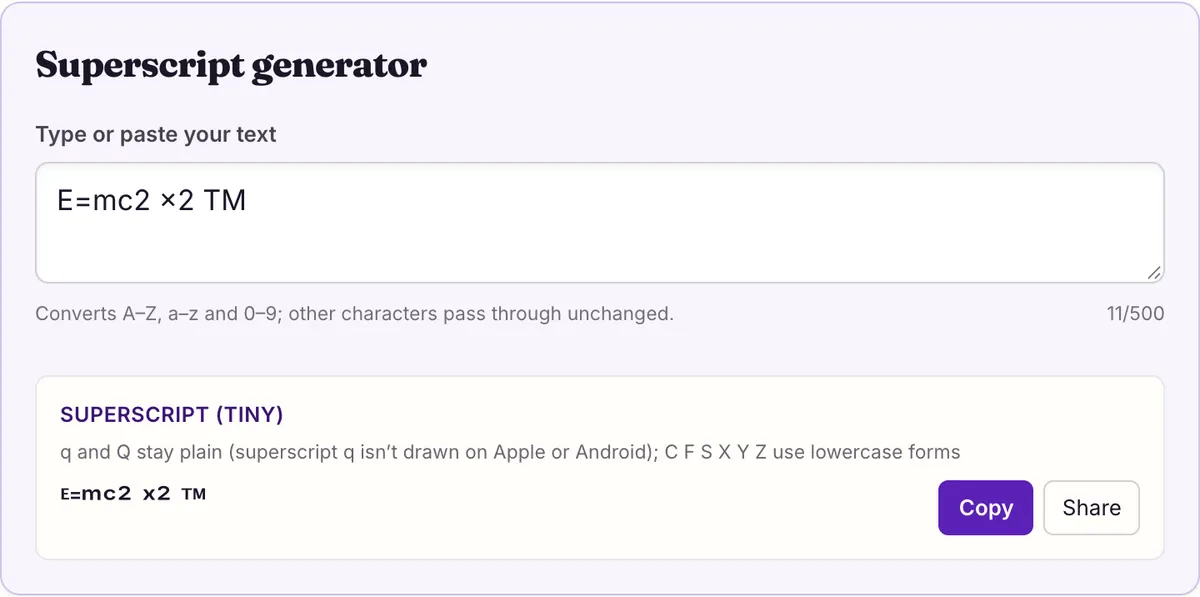
Superscript generator
q and Q stay plain (superscript q isn’t drawn on Apple or Android); C F S X Y Z use lowercase forms
You want x² in a chat message, a footnote¹ in a caption, or a small ᵀᴹ after a name, and the app you are typing in has no formatting button. A superscript generator solves that by swapping each character for a separate Unicode character that is already raised and shrunk.
Because the result is made of characters rather than formatting, it survives copy and paste into bios, comments, game names and plain-text forms. The tradeoff is that the set is incomplete, and the missing pieces are not where most people expect.
Below are the full character map, the capitals that misbehave, ready-made exponents and units, and the cases where your app's own superscript button is the better choice.
The full superscript map
The grid shows every capital, lowercase letter and digit next to what the generator turns it into. Where the output is the same plain character, the generator has left it alone. You will see that only q and Q stay unchanged: their raised forms exist in Unicode, but no Apple or Android system font we checked draws them, so pasting them would show a box.
Digits are the most dependable part of the set. ⁰ ¹ ² ³ ⁴ ⁵ ⁶ ⁷ ⁸ ⁹ are all in Unicode, along with ⁺ ⁻ ⁼ ⁽ ⁾, which is enough for most exponents and simple formulas.
What the set does not include matters just as much. There is no superscript period, comma or slash, so those characters stay on the baseline, and q stays there too for the reason above. A decimal exponent such as 2.5 comes out as ².⁵, with the point sitting low between two raised digits, and a fraction such as 1/2 comes out as ¹/², with a full-height slash.
To use the grid, click into the tool above and type only the characters you need raised. Copying a single character from the grid works too: ⁿ for "to the nth power", ⁻¹ for an inverse, or ᵗʰ for an ordinal. Each output is one character per input character, so the length of your text does not change, which matters for fields with a character limit.
Capitals: 19 drawn, 6 borrowed, 1 left plain
Unicode has raised capital letters (named MODIFIER LETTER CAPITAL A, B and so on) for 22 of the 26 capitals. Nineteen are the established ones in Phonetic Extensions and Latin Extended-C, and both platforms we measured draw them. The other three, raised C, F and Q (U+A7F2–A7F4), sit in Latin Extended-D, and on 2026-10-27 neither macOS 26.5.1 nor Android system fonts drew any of them. S, X, Y and Z have no raised capital at all. For those seven letters the generator uses the lowercase superscript where a drawn one exists, so a word in capitals stays readable, just with a few smaller letters in it.
So "TM" comes out as ᵀᴹ with true capitals, but "CSS" comes out as ᶜˢˢ and "FAQ" as ᶠᴬQ. If your word uses one of the seven, consider typing it in lowercase so every letter matches.
| You type | You get | Why |
|---|---|---|
| C | ᶜ | Raised capital C (U+A7F2) exists but isn’t drawn on Apple or Android; lowercase modifier c (U+1D9C) stands in |
| F | ᶠ | Raised capital F (U+A7F3) exists but isn’t drawn on Apple or Android; lowercase modifier f (U+1DA0) stands in |
| Q | Q | Raised capital Q (U+A7F4) and superscript q (U+107A5) exist, but neither is drawn on Apple or Android, so Q stays plain |
| S | ˢ | No raised capital S in Unicode; lowercase modifier s (U+02E2) stands in |
| X | ˣ | No raised capital X in Unicode; lowercase modifier x (U+02E3) stands in |
| Y | ʸ | No raised capital Y in Unicode; lowercase modifier y (U+02B8) stands in |
| Z | ᶻ | No raised capital Z in Unicode; lowercase modifier z (U+1DBB) stands in |
Exponents, ordinals and units ready to copy
For math in plain text, convert only the part that should be raised. The generator converts everything you type, so type the exponent alone, copy it, and paste it after the base. Typing "x2" gives ˣ² with a raised x too, which is rarely what you want; x followed by a pasted ² gives x².
These were all produced by the generator on this page. Copy from the right-hand column.
Charges on ions and scientific notation follow the same rule. For a charge, raise the digit and the sign together: type 2+ and paste ²⁺ after Ca to get Ca²⁺, or type - for Cl⁻. For a power of ten, type 23 and paste ²³ after 10 to get 6.02×10²³. Formulas that need both a lowered and a raised part, such as sulfate SO₄²⁻, take one character from the subscript generator and two from this one.
Keep the result short. Two or three raised characters next to normal text read clearly; a whole phrase in superscript, like ˢᵉᵉ ⁿᵒᵗᵉ ᵇᵉˡᵒʷ, is hard to read at normal sizes and is better written plainly.
| Use | Type into the generator | Paste this |
|---|---|---|
| Squared, cubed | 2, 3 | ² ³ |
| Area and volume units | m2, cm3 | m² cm³ (convert only the digit) |
| Negative power | -3 | 10⁻³ |
| Pythagoras | a2+b2=c2 | a²+b²=c² (digits only) |
| Bracketed exponent | (n+1) | x⁽ⁿ⁺¹⁾ |
| Ordinals | st, nd, th | 1ˢᵗ 2ⁿᵈ 4ᵗʰ |
| Footnote markers | 1, 2, 3 | ¹ ² ³ |
| Ion charge | 2+, - | Ca²⁺ Cl⁻ |
| Scientific notation | 23 | 6.02×10²³ |
When real superscript formatting is the better choice
Unicode superscript is a workaround for places with no formatting. Where formatting exists, use it: the text stays ordinary letters, every letter including q is available, and search, spell check and screen readers treat it as the word it is.
There is also a trap in the other direction. Superscript made with formatting exists only inside the document. If you copy x² from a Word file into a plain-text field such as a profile bio or a game chat, the formatting is dropped and the reader sees x2. That is the moment to switch to Unicode: copy ² from the generator, not from your document.
Formatting also scales with the text. If you make a heading larger, real superscript grows with it and stays in proportion, while Unicode characters depend on how each font happens to draw them.
- Essays, reports and lab write-ups: word processors have their own superscript command, which raises ordinary digits and keeps footnote numbering working.
- Bios, display names, game names, chat messages and comment boxes: these have no formatting, so the generator’s characters are the only way to raise text there.
- Words containing q, or a raised capital C, F, Q, S, X, Y or Z: formatting raises any letter, while the generator has to leave q plain and swap those capitals for lowercase forms.
- Decimals and fractions: formatting raises the point or slash along with the digits; the generator leaves them on the baseline, as in ².⁵ and ¹/².
- Text you will paste somewhere else: generator output survives the trip into a plain-text field, while formatting is dropped and x² arrives as x2.
- Anything long or important: a sentence of raised letters is hard to read for everyone and may be skipped or spelled out letter by letter by assistive technology.
Why ⁱ and ⁿ look different from the rest
Several popular converters say Unicode has no superscript i. It does: ⁱ is U+2071, SUPERSCRIPT LATIN SMALL LETTER I, in the Superscripts and Subscripts block, next to ⁿ (U+207F). Those tools substitute a different character, such as a small capital I, which is why their "i" looks dotless.
The real reason superscript text can look uneven is that it is assembled from three blocks. Digits and ⁱ ⁿ come from Superscripts and Subscripts; ʰ ʲ ʳ ˡ ˢ ʷ ˣ ʸ come from Spacing Modifier Letters; most of the rest, including the capitals, come from Phonetic Extensions. Fonts often draw each block at a slightly different size and height.
For q, the real characters do exist: U+107A5 MODIFIER LETTER SMALL Q in Latin Extended-F, and U+A7F4 MODIFIER LETTER CAPITAL Q in Latin Extended-D. The problem is drawing, not encoding: in our measurement no macOS 26.5.1 or Android system font has either, so most readers would see a box. Some tools paste ᵠ instead, which is MODIFIER LETTER SMALL GREEK PHI, a different letter, without telling you the real q exists. We leave q plain until fonts catch up.
Will people see it? What we measured
On 2026-10-27 we looked up all 54 distinct characters this superscript style can output in the character maps of the fonts that ship with macOS 26.5.1 and of Android's system fonts as listed in AOSP's fonts.xml. All 54 were present on both, so readers on those systems should see raised letters rather than empty boxes.
We did not measure Windows, and a font being present does not mean every app shows it: an app can strip or block characters in names or fields. If someone tells you they see boxes, their device is missing a font, and plain text is the fallback.
Size is the other thing to check. Raised characters are drawn small by design, and on a phone a two-letter tag such as ᵀᴹ can be hard to make out. In a username or display name, where it may be shown at a small size, a raised character is easiest to read next to plain text rather than in a run.
Paste a test into the exact field you plan to use before committing to it, especially for a username where you may not be able to change it back quickly. The superscript generator output is safest in short bursts, a single exponent, a marker or a two-letter tag, rather than whole sentences.
Questions people ask
- Is there a superscript q?
- Yes, but almost nobody can see it yet. Unicode encodes a superscript q (U+107A5) and a raised capital Q (U+A7F4), but in our 2026-10-27 measurement no macOS 26.5.1 or Android system font drew either, so pasting them would give most readers a box. The generator leaves q plain instead. Tools that show a raised q usually paste the Greek phi ᵠ, a different letter, without saying so.
- How do I type ² or ³ without a generator?
- In a document, type 2 and apply your app’s superscript formatting. In plain text, copy ² or ³ from the generator or the table above; both are standard characters (U+00B2 and U+00B3), and the Unicode Superscripts and Subscripts chart points to them as the superscript two and three. Every other digit comes from that block itself, so a run like ²⁰²⁶ mixes two blocks but looks consistent in most fonts.
- Why does my capital C come out small?
- Unicode has no raised capital S, X, Y or Z. Raised capitals C and F do exist (U+A7F2 and U+A7F3), but Apple and Android system fonts don’t draw them, so the generator uses the lowercase raised letter instead: CSS becomes ᶜˢˢ. Capital Q stays plain, because neither its raised capital nor the superscript q is drawn. Typing the word in lowercase gives a matching set of small raised letters instead: css becomes ᶜˢˢ, faq becomes ᶠᵃq.
- Does superscript text work in Discord?
- Discord's Markdown Text 101 lists no superscript syntax, so Unicode characters are the only way to get raised text in a message. In our measurement, every character was drawn by system fonts on macOS and Android; we did not test the Discord app itself.
- Should I use ᵀᴹ or ™?
- Use ™ (U+2122, TRADE MARK SIGN). It is one character made for the purpose and is read as trademark. ᵀᴹ is two separate modifier letters. In formal writing, the ™ sign is what readers and search tools expect, so it is the better choice wherever it applies.
- Can I use superscript for footnotes in an essay?
- Use your word processor's superscript formatting or its footnote feature instead. Real formatting keeps the numbers as ordinary digits and works with the app's footnote numbering. Unicode markers are fine in a social caption or a forum post where no formatting exists, as long as each marker is matched by a note readers can find.
Sources & further reading
- Unicode code charts — Superscripts and Subscripts (U+2070–209F)
- Unicode code charts — Spacing Modifier Letters (U+02B0–02FF)
- Unicode code charts — Phonetic Extensions (U+1D00–1D7F)
- Unicode code charts — Latin Extended-D (U+A720–A7FF), raised capitals C F Q
- Unicode code charts — Latin Extended-F (U+10780–107BF), superscript q
- W3C — Understanding WCAG 2.2 Success Criterion 1.3.1 Info and Relationships
Read next
- Subscript Generator
Subscript generator for chemistry and math in plain text: copy H₂O or xₙ, and see the 17 letters that have subscript forms and the 9 that never will.
- Small Text Generator
Small text generator for small caps, superscript and subscript, with the exact letters each one is missing and how they display on macOS and Android.
- Copy and Paste Fonts
Copy and paste fonts in 27 Unicode styles: bold, cursive, Old English and more. See which letters each style lacks and which phones can draw them.
Part of Copy and Paste Fonts. Want every style at once? Use the fancy text generator on the home page.

Sukie · Editor
Sukie edits Fancy Text Styles. Every style on the site is checked against the Unicode Consortium code charts before it is published, and every page names the characters a style cannot produce instead of hiding them.
About this site · How pages are checked · Last updated October 27, 2026
Fancy Text Styles is an independent site. Discord, Instagram, TikTok, X and other platform names belong to their owners and are used only to describe where text is pasted; none of them endorse this site.