
Instagram Fonts: Copy Styled Text for Your Bio, Name and Captions
Instagram fonts are Unicode characters that look like styled letters, such as 𝓂𝓎 𝒷𝒾ℴ or 𝗺𝘆 𝗯𝗶𝗼. Instagram documents no font setting for bios, so you type your text above, copy a style and paste it into your bio, name, caption or comment. The characters travel as text, so followers see them wherever their phone's fonts can draw them.
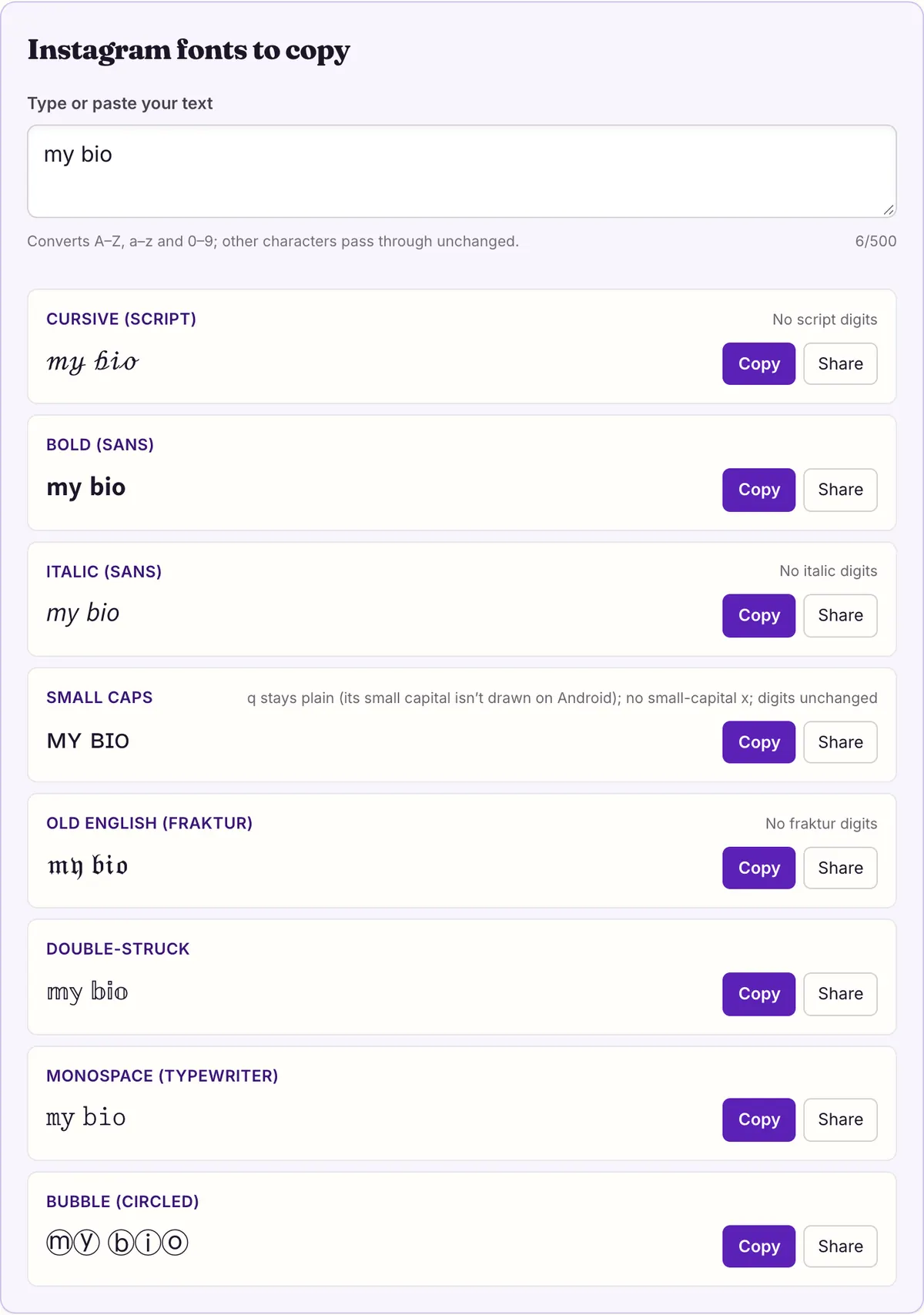
Instagram fonts to copy
No script digits
No italic digits
q stays plain (its small capital isn’t drawn on Android); no small-capital x; digits unchanged
No fraktur digits
Double-struck
Monospace (typewriter)
Start with the steps, because they are short: type in the box above, copy one of the eight Instagram fonts, open the app, and paste into the field you want to style. The detailed version for each field is right below.
What makes this work is that nothing is being formatted. Each styled letter is a separate Unicode character, so the app stores and shows it like any other text. That also explains the limits: styles without digits, letters that become emoji, and fields that may be stricter than others.
Paste styled text into your profile, step by step
These steps describe the general copy-and-paste mechanism on a phone. Instagram's menus change over time and we have not documented them, so look for the edit-profile or text field rather than a specific menu path.
- Type the exact text in the box at the top of this page: your name, one bio line, or a caption heading.
- Scroll the eight previews and pick a style. If the text has numbers, check them: script, italic sans and fraktur leave digits plain.
- Tap the copy button next to that style.
- Open Instagram and go to the field you want to change, such as your profile's name or bio, or a new caption or comment.
- Long-press inside the field and tap Paste. Add any plain text around it as normal.
- Look at the preview before saving. If a letter shows as a box on your own phone, choose another style.
- Save, then view the result from a second device or ask a friend to check, since their phone draws the characters with its own fonts.
Where pasted text can go
Every text field accepts pasted characters the same way at the mechanism level: what you paste is what gets stored. What differs is how strict a field is and how its text is used afterwards, for example whether people search it or have to type it. We have not tested each Instagram field, so the right-hand column says what to check rather than what will happen.
The bio and name are the most common targets, and the reasons are practical. Both are short, both are read rather than typed, and both appear on the profile where people decide whether to follow. A single styled line there gets noticed without making the rest of the profile harder to read.
Captions work differently because people read them in a feed, often after the first line is cut off. A styled first line acts like a headline; a fully styled caption is slow to read and, for the reasons in the search section below, may be harder to find. Comments are the place to be most sparing, since they sit in a thread of plain text and anything long stands out for the wrong reasons.
| Field | What you paste becomes | What to check |
|---|---|---|
| Bio | Styled characters shown on your profile | Readability of the full bio on a small screen |
| Name | Styled characters shown above your bio and in some lists | Whether people can still recognize you |
| Username (handle) | Handles are typed and searched, so plain is safest | No source tells us which characters it accepts; keep styling out |
| Captions | Styled characters inside the post text | Style a heading line, not the whole caption |
| Comments | Styled characters in the thread | Short is better; long styled comments are tiring |
| Story text | Pasted characters go in like typed text | Not tested; preview before posting |
Eight styles that suit a profile
The tool shows eight styles chosen because they read well in a short profile line. Here is the same line, "Maria • NYC • 24", in each one, generated with our engine. Look at the digits and at the M.
A few patterns are visible in that table. Only bold sans, double-struck, monospace and bubble change the 24; the others keep it plain because their alphabets have no digits. Small caps leaves q and x as ordinary letters (x has no small capital, and the small capital q exists but Android doesn’t draw it), which is easy to miss in a word like "quiz" (qᴜɪᴢ). And the C in NYC comes from the older Letterlike Symbols block in both fraktur (ℭ) and double-struck (ℂ), which is correct, not a glitch.
If you are unsure, bold sans is the safest default for a profile: it has every letter and digit, it reads clearly at small sizes, and it looks closest to ordinary bold text. Script and fraktur add the most character but should be kept to a name or a few words.
| Style | Sample | Note |
|---|---|---|
| Cursive (script) | ℳ𝒶𝓇𝒾𝒶 • 𝒩𝒴𝒞 • 24 | No digits; 11 letters come from Letterlike Symbols |
| Bold (sans) | 𝗠𝗮𝗿𝗶𝗮 • 𝗡𝗬𝗖 • 𝟮𝟰 | Full set with digits |
| Italic (sans) | 𝘔𝘢𝘳𝘪𝘢 • 𝘕𝘠𝘊 • 24 | No digits |
| Small caps | ᴍᴀʀɪᴀ • ɴʏᴄ • 24 | q stays plain (its small capital isn’t drawn on Android); no small-capital x; digits plain |
| Old English (fraktur) | 𝔐𝔞𝔯𝔦𝔞 • 𝔑𝔜ℭ • 24 | No digits; 5 capitals from Letterlike Symbols |
| Double-struck | 𝕄𝕒𝕣𝕚𝕒 • ℕ𝕐ℂ • 𝟚𝟜 | Full set with digits |
| Monospace | 𝙼𝚊𝚛𝚒𝚊 • 𝙽𝚈𝙲 • 𝟸𝟺 | Full set with digits |
| Bubble (circled) | Ⓜⓐⓡⓘⓐ • ⓃⓎⒸ • ②④ | Ⓜ can show as an emoji |
Why there is no font menu for your bio
Instagram does not document any setting for changing the font of a bio, name or caption, and we will not invent a menu path for one. Those fields are plain text: the app decides how text looks, and you decide which characters it contains.
That is the gap Unicode styles fill. Unicode includes several complete alphabets that look styled because they were encoded for other purposes: bold, italic, script and fraktur letters for mathematics, small capitals for phonetics, circled letters for enumerations. Pasting them changes the characters, not the formatting, so the look survives in a field that has no formatting at all.
Because these are characters, they behave like characters everywhere: you can delete them one at a time, select them, and copy them back out of your bio into another app. Some fields may also normalize pasted text, converting compatibility characters back to plain letters when you save; if your preview showed a style and the saved version does not, that is the most likely reason.
The same idea works in any app with plain text fields. Nothing here is specific to Instagram except the places people most want to use it.
What followers see on their phones
Your bio does not carry a font. Each follower's phone draws the characters with its own fonts, and if no font on that phone contains a character, the app falls back to another font or shows an empty box.
On 2026-10-27 we read the character maps of all 365 system font files on macOS 26.5.1 and of Android's system fonts. Every character of all eight styles above is drawable on both. We did not measure iPhone, iPad or Windows directly, so we make no claims about them, and an app can use its own fonts in place of the system's.
Two traps exist regardless of fonts. Some generators output Unicode's 24 reserved slots, which no font draws on either system we measured; our engine never does. And circled Ⓜ is in both Apple Color Emoji and Noto Color Emoji, so in a name like Ⓜⓐⓡⓘⓐ it can appear as a colorful emoji that does not match the other bubbles.
Search, hashtags and screen readers
Styled letters are different characters from plain ones. Unicode gives most of them a compatibility mapping back to the plain letter, so software that normalizes text can treat 𝗺𝘆 𝗯𝗶𝗼 as "my bio", and software that compares characters directly cannot. We have not tested how Instagram's search or hashtags treat them, so keep words you want people to find, and every hashtag, in plain text.
Screen readers vary too. Each styled character has a formal name such as MATHEMATICAL BOLD SCRIPT SMALL M, and depending on the reader it may be announced by that name, read as the plain letter or skipped. The W3C's guidance says meaning should not depend on visual presentation alone. Style a name or one line, and leave the information in your bio readable as plain text.
Keep the bio readable
The profiles that look best usually style one thing. A bold-sans name with a plain bio, or a plain name with one script line, gives contrast; a bio where every line is a different style looks cluttered and is hard to scan.
Choose the style by what the line contains. If it has numbers, such as an age, a year or a city code, use bold sans, double-struck or monospace, which have digits. If it is a name or a single word, script and fraktur are fine. Small caps works for a quiet tagline, as long as it has no q or x.
A simple structure that works for most profiles: a styled name, a plain first bio line saying what you do or post, an optional styled short tagline, and plain contact or link text. That keeps the important information searchable and readable while still giving the profile some personality.
Finally, keep your handle plain. It is the part people type to mention or find you, and nobody can type a styled letter on an ordinary keyboard.
Questions people ask
- Does Instagram have its own font setting for bios?
- Instagram documents no font setting for bios, names or captions. Styled text in profiles is pasted Unicode characters like the ones on this page.
- Are these real fonts?
- No. They are Unicode characters, so nothing is installed. Each follower's phone draws them with its own fonts.
- Why did my numbers stay plain?
- Script, italic and fraktur styles have no digits in Unicode. Bold sans, double-struck and monospace do. Small caps also leaves digits as they are.
- Why does one bubble letter look like an emoji?
- Circled Ⓜ is included in both Apple Color Emoji and Noto Color Emoji, so it can render as an emoji next to plain bubble letters.
- Can I use these in my username?
- We have no source for which characters Instagram allows in handles, and handles are what people type and search. Keep the handle plain and style the name.
- Will my followers see boxes?
- On macOS 26.5.1 and Android's system fonts we measured every character of these eight styles as drawable. Other systems were not measured. If someone reports boxes, ask what device they use; the fix is a different style, since every generator outputs the same characters.
- Do styled words work in hashtags?
- We have not tested it. Styled letters are different characters from plain ones, so keep hashtags in plain text.
- Can I use the same text on other apps?
- Yes. The characters are ordinary Unicode, so they paste into any field that accepts text; how each app treats them is up to that app.
Sources & further reading
Read next
- Cursive Font Generator
Cursive font generator with thin and bold Unicode script. See the 11 letters borrowed from an older block, why numbers stay plain, and measured coverage.
- Blank Space Copy and Paste
Blank space copy and paste: Hangul Filler, Braille Blank, zero width space and three wide spaces, with code points and which one to try for names or messages.
- Small Text Generator
Small text generator for small caps, superscript and subscript, with the exact letters each one is missing and how they display on macOS and Android.
- Copy and Paste Fonts
Copy and paste fonts in 27 Unicode styles: bold, cursive, Old English and more. See which letters each style lacks and which phones can draw them.
Part of Copy and Paste Fonts. Want every style at once? Use the fancy text generator on the home page.

Sukie · Editor
Sukie edits Fancy Text Styles. Every style on the site is checked against the Unicode Consortium code charts before it is published, and every page names the characters a style cannot produce instead of hiding them.
About this site · How pages are checked · Last updated October 27, 2026
Fancy Text Styles is an independent site. Discord, Instagram, TikTok, X and other platform names belong to their owners and are used only to describe where text is pasted; none of them endorse this site.