
Blank Space Copy and Paste: Six Invisible Characters Compared
For blank space copy and paste, start with the Hangul Filler (U+3164) for an empty-looking name or message, and try the Braille Pattern Blank (U+2800) if the app rejects it. Both look empty but are not classed as whitespace, so apps that trim spaces often keep them. For extra spacing inside text, use the No-Break Space or Em Space instead.
Blank space to copy
Hangul Filler U+3164
Takes up width like a letter; the one most often used for blank names.
Braille Pattern Blank U+2800
A braille cell with no dots; renders as an empty space the width of a character.
Zero Width Space U+200B
No width at all. Many apps strip it or treat the field as empty.
No-Break Space U+00A0
Looks like a normal space but does not collapse or wrap.
Em Space U+2003
A wide space, one em across.
Ideographic Space U+3000
Full-width space used in Chinese, Japanese and Korean text.
This blank space copy and paste tool gives you six different invisible characters, and they are not interchangeable. Two of them are technically a letter and a symbol that happen to draw nothing, one has no width at all, and three are real spaces of different widths. Which one works depends on what you are trying to do and on how the app cleans up what you type, which the sections below go through one job at a time.
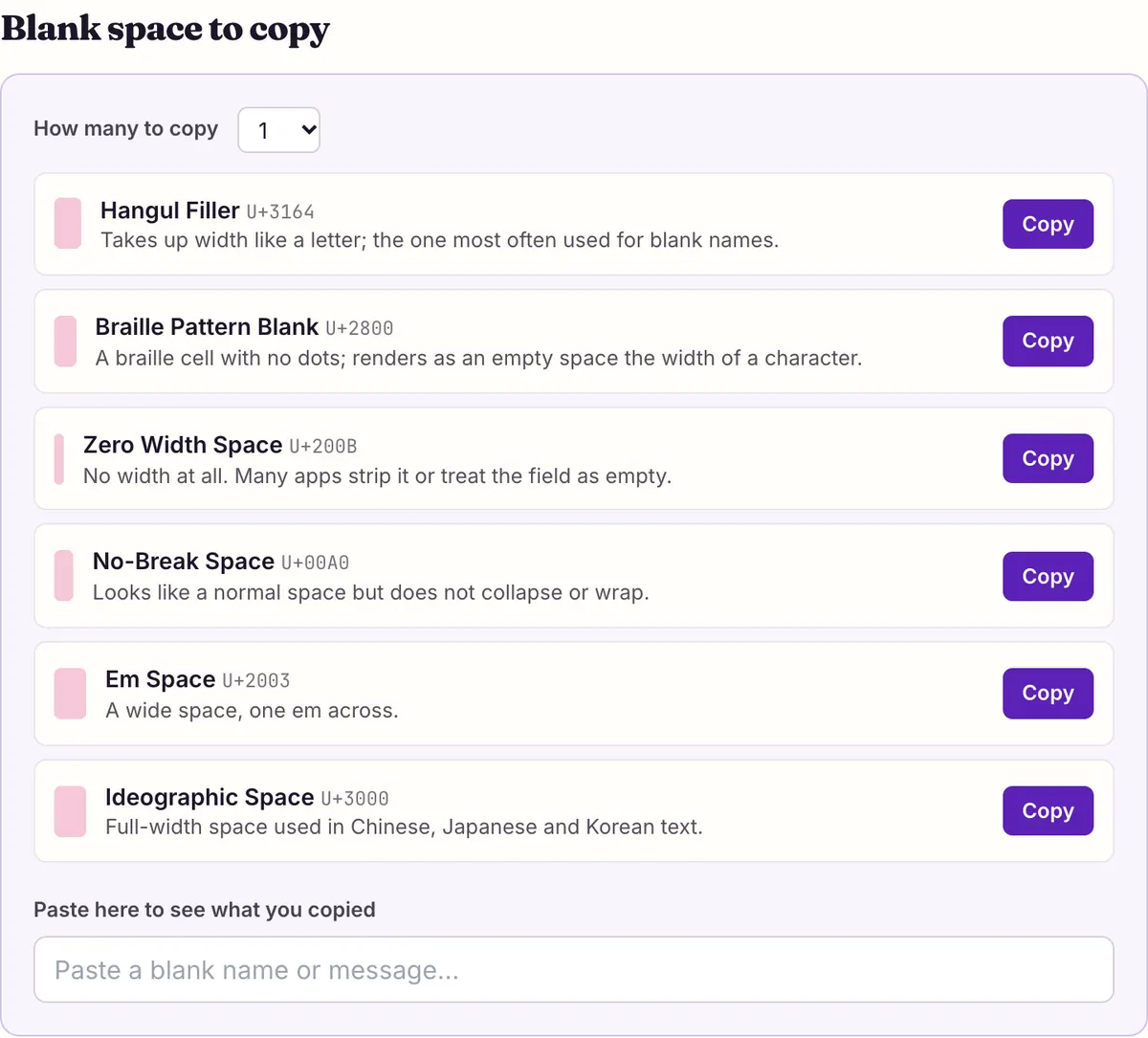
Blank space copy and paste: the six characters side by side
Each character in the tool above has a different Unicode identity. The column that matters most is the general category: Unicode sorts every character into one, and apps that "trim whitespace" usually remove characters in the space separator category (Zs) and leave letters and symbols alone.
The highlighted box next to each character in the tool shows how wide it really is. The Zero Width Space collapses to a sliver because it has no width; the others take up roughly the room of a letter or more.
Most blank space copy and paste pages offer a single character, or a long list with no guidance. Knowing the category tells you in advance which of the six is likely to survive the job you have in mind.
| Character | Code point | Unicode category | Width | A space to Unicode? |
|---|---|---|---|---|
| Hangul Filler | U+3164 | Lo (letter) | About one letter | No |
| Braille Pattern Blank | U+2800 | So (symbol) | One braille cell | No |
| Zero Width Space | U+200B | Cf (format) | None | No, but often stripped |
| No-Break Space | U+00A0 | Zs (space separator) | A normal space | Yes |
| Em Space | U+2003 | Zs (space separator) | One em, wide | Yes |
| Ideographic Space | U+3000 | Zs (space separator) | Full width, as wide as a CJK character | Yes |
Why some blanks survive and others vanish
Most apps tidy up what you type before they save it. A common rule is to trim spaces from the start and end of a name or message, and to refuse to send one that is empty after trimming. Many also strip zero-width characters, because they are invisible and easy to abuse. None of the major apps publish exactly which characters they remove.
That is the whole reason two of these characters are popular. The Hangul Filler is a letter: it comes from the Hangul Compatibility Jamo block, where it serves as a placeholder in Korean text. The Braille Pattern Blank is a symbol: it is braille cell U+2800 with no dots raised. Neither is in the space separator category, so a trimming rule written for spaces does not touch them. They are "blank" only because their shapes are empty.
The three real spaces behave the way spaces do. They are in category Zs, so trimming at the start and end of a field usually removes them, and a message made only of them is usually treated as empty. Inside a sentence they are kept, which is what makes them useful for spacing. The Zero Width Space is a format character with no width; some apps keep it, many strip it, and a field containing only it often counts as empty.
Blank names: try in this order
For a name that looks empty, the order below starts with the character most likely to survive a trimming rule and works down. Paste one at a time, check the preview, and stop at the first one the app accepts. If a name needs a minimum length, set the tool's "How many to copy" menu to 2, 3 or 5 and copy several in one go.
- Hangul Filler (U+3164). A letter-category character with letter-like width, so length checks and space trimming tend to treat it as text.
- Braille Pattern Blank (U+2800). Also not a space, and its width is similar. Try it if the app filters Hangul or shows the Filler oddly.
- Hangul Filler or Braille Blank with a single visible character, such as a period, if the app insists on at least one ordinary character. The name looks almost empty.
- Zero Width Space (U+200B) only as a last resort. Many fields strip it, and a name with no width at all can be impossible for others to click or select.
Sending an empty-looking message
Chat apps generally block a message that is empty, and "empty" usually means nothing left after spaces are trimmed. That is why pressing the space bar and sending does nothing. A message made of one Hangul Filler or one Braille Pattern Blank is not empty by that test, because neither is a space, so it may go through and arrive looking blank.
We did not test this in WhatsApp, Instagram, Discord or any other app, and none of them document blank characters in their help pages, so we can only describe the mechanism. If the app strips or replaces the character, you will see the send button stay disabled or the message arrive with a placeholder. Copy several at once if a single one looks like a stray dot or box in the app's font.
Extra spacing inside a bio or post
When the goal is a wider gap, an indent or a line that does not wrap, the real spaces are the right tools, and they are much less likely to be stripped because they sit between visible words.
The No-Break Space (U+00A0) looks like an ordinary space but stops a line from breaking at that point, so "10 km" or a two-word name stays together. Web pages and many apps collapse several ordinary spaces into one; the No-Break Space does not collapse that way, so a run of them can push text sideways. The Em Space (U+2003) is a single wide space, about the width of the letter M, useful for a clear gap between items in a bio. The Ideographic Space (U+3000) is as wide as a Chinese, Japanese or Korean character and is the space our fullwidth text style uses between words, so it keeps wide letters evenly spaced.
Check what you actually copied
Invisible characters are hard to debug because you cannot see them. The tool has a checker for this: paste anything into the box under the list and it shows how many characters you pasted and the code point of each one. Paste a blank name back from an app, and you can see whether it still contains U+3164 or whether the app swapped it for something else.
The checker is also useful in reverse. If a username or a line of text behaves strangely, failing to match in search, refusing to log in, or wrapping in odd places, paste it in. A stray U+200B or U+00A0 inside a word is a common cause, since software compares characters, not appearances, and a word with an invisible character inside it is a different word.
Be careful with invisible characters in anything that must match exactly: passwords, email addresses, codes and links. A blank you cannot see will make them fail in ways that are hard to spot.
If you came here for blank space copy and paste to fix a layout rather than make something invisible, the checker is the fastest way to find which character is actually in your text before you swap it.
What the apps don't document
No official help page from WhatsApp, Instagram or Discord documents blank or invisible names or messages, so any claim that a particular blank "works on" one of them comes from users trying it, and app updates can change the result without notice. The same goes for games. Roblox, for example, filters all text and does not publish a list of allowed characters.
The one thing a platform does document is Discord's username rule, which rules blank characters out of usernames entirely. Everywhere else, the honest advice is to paste, check the preview, and keep a normal name ready in case the app rejects or later removes the blank.
Think about who will read it, too. A screen reader may announce a Hangul Filler or Braille Pattern Blank by name, or say nothing, depending on the reader, so a blank name can be confusing to people who navigate by audio. W3C accessibility guidance asks that content not rely on visual presentation alone; in a group chat, a blank name means nobody can tell who said what.
Questions people ask
- Which blank character should I use for an invisible name?
- Start with the Hangul Filler (U+3164). If the app rejects it, try the Braille Pattern Blank (U+2800). Both look empty but are a letter and a symbol to Unicode, so space-trimming rules usually leave them alone.
- Why won't the app let me use a normal space as a name?
- Apps trim spaces from the start and end of names and messages, so a name made only of spaces becomes empty and is refused. The blank characters on this page are not spaces, which is why they can get past that rule.
- Does the Hangul Filler work on WhatsApp, Instagram or Discord?
- None of them document it, and we did not test it in those apps. The mechanism suggests it often will, because it is not whitespace, but the only way to know is to paste it and check the preview.
- What is the difference between a zero width space and a blank?
- The Zero Width Space (U+200B) has no width at all and is a format character, so many apps strip it. The Hangul Filler and Braille Blank take up the width of a character and are kept as text more often.
- How do I copy more than one blank at once?
- Use the How many to copy menu above the list and pick 2, 3, 5, 10 or 20, then press Copy next to the character you want. The button changes to show the count.
- Why does my blank show up as a box or a dot?
- The app's font has no drawing for that character and shows a placeholder, or draws it with a visible shape. Try the other non-space blank, or copy two or three together.
- Can I use blank characters to add spacing in my bio?
- Yes. Use No-Break Spaces (U+00A0) or an Em Space (U+2003) between words; apps that collapse ordinary spaces usually keep these. To keep an empty line between paragraphs, put a Hangul Filler on it.
- Is it safe to use invisible characters?
- In names and messages, yes. Avoid them in passwords, emails, codes and links, where an invisible extra character will make an exact match fail.
- How do I find an invisible character in my text?
- Paste the text into the checker under the tool. It lists the code point of every character, so U+3164, U+200B or U+00A0 hiding in a word becomes visible.
Sources & further reading
Read next
- Discord Fonts
Discord fonts to copy and paste for display names, nicknames and messages, checked against Discord's own rules on which fields accept Unicode letters.
- Instagram Fonts
Instagram fonts for your bio, name, captions and comments: eight Unicode styles to copy, how pasting works, and what followers' phones can actually draw.
- Weird Text Generator
Weird text generator with nine styles: glitch, upside down, bubble, crossed out and wide letters, plus which Unicode characters each one is built from.
- Discord Text Formatting
Discord text formatting cheat sheet from Discord's own help articles: bold, italic, underline, headers, subtext, lists, quotes, code and spoilers.
Part of Weird Text Generator. Want every style at once? Use the fancy text generator on the home page.

Sukie · Editor
Sukie edits Fancy Text Styles. Every style on the site is checked against the Unicode Consortium code charts before it is published, and every page names the characters a style cannot produce instead of hiding them.
About this site · How pages are checked · Last updated October 27, 2026
Fancy Text Styles is an independent site. Discord, Instagram, TikTok, X and other platform names belong to their owners and are used only to describe where text is pasted; none of them endorse this site.