
Strikethrough Text Generator: c̶r̶o̶s̶s̶ i̶t̶ o̶u̶t̶ Anywhere
A strikethrough text generator adds the combining mark U+0336 after every letter, so "crossed out" becomes c̶r̶o̶s̶s̶e̶d̶ o̶u̶t̶ and keeps its line wherever you paste it. Use it in places with no formatting, such as bios and many post fields. Where an app has its own strikethrough, such as Discord's ~~text~~ or a document editor's own strikethrough, use that instead.
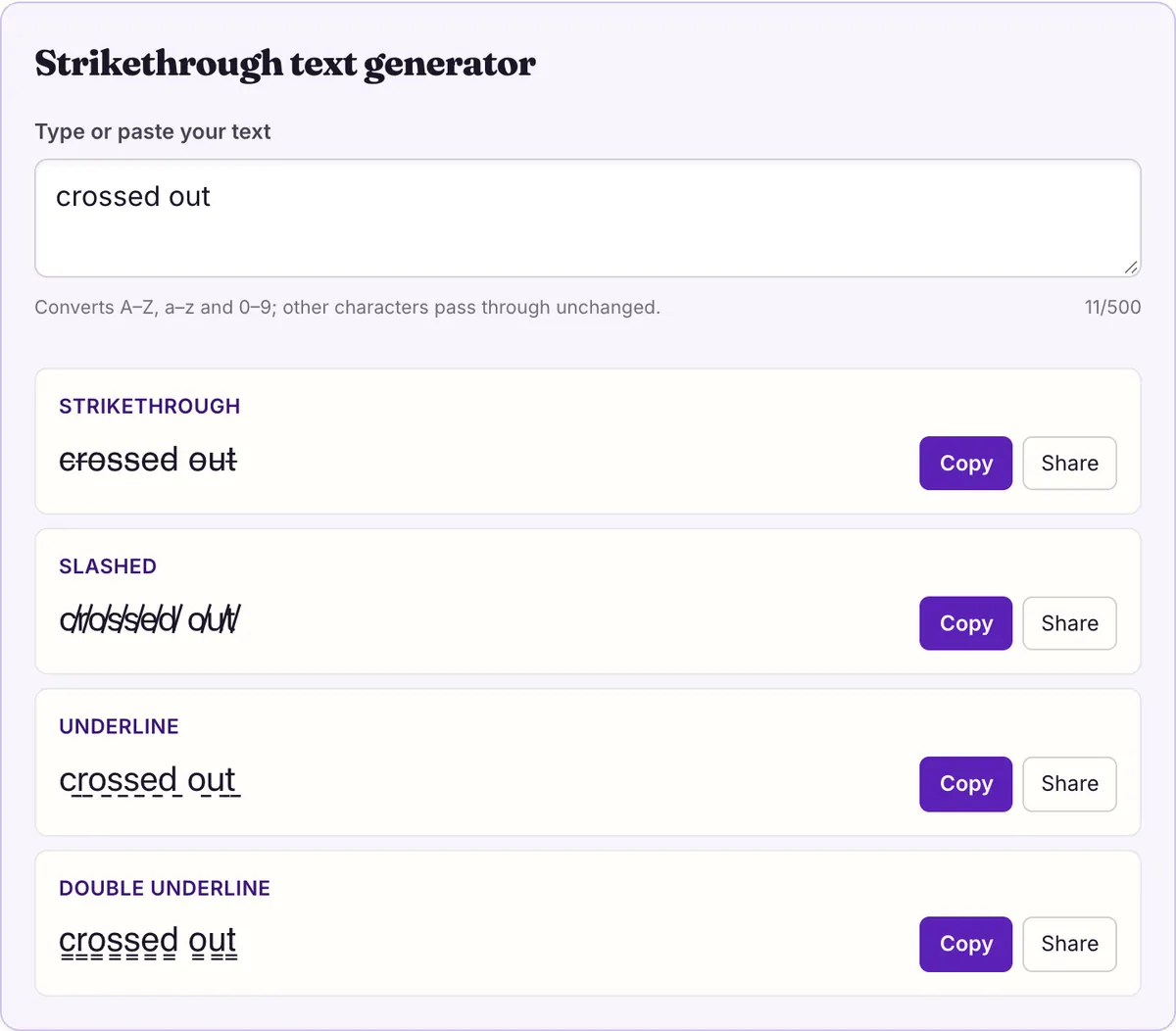
Strikethrough text generator
Underline
Double underline
There are two ways to cross out text, and they behave very differently. The first is what this strikethrough text generator does: it puts a line-drawing character after each letter, so the line is part of the text itself and travels with it. The second is formatting: Discord's ~~text~~, a word processor's strikethrough button, a style the app applies on top of plain letters.
Formatting is cleaner, more accessible and easier to undo, but it only exists inside the app that supports it. The Unicode version works almost anywhere you can paste, at the cost of doubling the character count and confusing screen readers. This page shows which to use where.
One mark per letter: how the Unicode version works
U+0336 is COMBINING LONG STROKE OVERLAY, from Unicode's Combining Diacritical Marks block. Like an accent, it has no width of its own; the renderer draws it across whatever character came just before it. The generator inserts one after every letter, digit and symbol, so each character gets its own short line, and together they read as a single strike.
Spaces are left alone. That keeps words separate and lets the line break between words, but it also means the strike has small gaps where the spaces are: c̶r̶o̶s̶s̶e̶d̶ o̶u̶t̶. Whether the segments join up neatly depends on the font, since each font positions the overlay a little differently.
The line sits at a fixed height in the font, usually around the middle of a lowercase letter. On capitals and tall letters like d or l it crosses lower down than you might expect, and on digits it can sit slightly off-center. That is normal for the combining mark and is one reason the struck text never looks quite as tidy as an editor's own strikethrough.
The tool gives you three related effects built the same way, each with a single mark:
Which one to pick is mostly about tone. A horizontal strike says "this is gone" or "this was wrong". A slash reads as "no" or "not this" and is a little louder. Underlines draw attention to text rather than cancelling it, so they suit a key word in a bio better than a correction.
- Slashed, U+0338 COMBINING LONG SOLIDUS OVERLAY: c̸r̸o̸s̸s̸e̸d̸ o̸u̸t̸. A diagonal line through each character, often used for "not" or a softer cross-out.
- Underline, U+0332 COMBINING LOW LINE: c̲r̲o̲s̲s̲e̲d̲ o̲u̲t̲. A line under each character, for places that have no underline option.
- Double underline, U+0333 COMBINING DOUBLE LOW LINE: c̳r̳o̳s̳s̳e̳d̳ o̳u̳t̳. Two lines under each character, for extra emphasis.
- All four can be combined with other styles: run bold or fullwidth text through the tool and the mark attaches to those characters too.
Unicode strike vs app formatting, platform by platform
The deciding question is whether the place you are typing has its own strikethrough. If it does, use it. If it does not, the Unicode mark is the only way to get a line through the text.
Here is what the platforms people ask about most actually offer, based on their own help pages where one exists.
For an app that is not in the table, there is a quick test. Type ~~test~~ into a draft and look at the preview. If the tildes vanish and a line appears, the app supports markdown strikethrough and you should use it. If the tildes stay visible, it does not, and the strikethrough text generator above is the way to cross something out there. Delete the draft afterwards so it does not post by accident.
| Platform | Native strikethrough | How | Use this tool? |
|---|---|---|---|
| Discord messages | Yes | Wrap text in two tildes: ~~text~~ | No, use ~~ in messages |
| Word processors (Docs, Word, Pages) | Yes | The editor's own strikethrough formatting | No, keep the letters as real text |
| Instagram captions and bios | Not documented | Paste the Unicode version | Yes |
| X posts and bio | Not documented | Paste the Unicode version | Yes |
| Discord display name | No markdown in names | Paste the Unicode version | Yes, display names allow special characters |
Discord: tildes in messages, Unicode in names
Discord's own Markdown guide lists strikethrough as ~~Strikethrough~~: two tildes on each side. It also lists bold, italics, underline, headers, subtext, lists, code blocks, block quotes and spoilers. Type ~~sold out~~ in a message and Discord draws the line itself, keeps the letters as plain text, and lets you edit the message without fighting with invisible marks.
Using this strikethrough text generator in a Discord message works too, but it is the worse option there: the message is twice as long, it cannot be un-struck by removing two tildes, and anyone searching the server for "sold out" may not find it because the characters differ.
Names are the exception. Markdown does not apply to names, and Discord says display names may include special characters, spaces and emoji, while usernames are limited to lowercase a–z, 0–9, underscores and periods. So a struck-through display name only works with the Unicode version, and a username will not accept it at all.
Documents: use the editor's own strikethrough
In a word processor, the Unicode version is almost always the wrong choice. The editor's strikethrough is a formatting flag on normal letters, so spell check, find and replace, word count and copy-paste into another document all keep working. The combining mark breaks all of those, because every word now contains extra characters.
If Unicode strikethrough has already been pasted into a document, the editor treats it as text, not formatting: its strikethrough button will not remove the line, and the word count and spell check see every mark. Strip the marks first (the FAQ below shows how), then apply the editor's own formatting.
The one time the Unicode version helps in a document is when the text is headed somewhere else that has no formatting, such as a plain-text email or a form field. Strike it with the generator just before you paste it out.
If you are writing a list of edits for someone else to review, keep the document formatting and describe the change in words next to it, for example "removed: Monday". The struck word shows what changed and the note says it plainly, which survives any later copy into a chat or email.
- Copy only the plain words out of the document, so no formatting comes along.
- Paste them into the box above and choose Strikethrough, or Slashed if the line looks broken in the font you are pasting into.
- If only part should be crossed out, convert just that part and paste it beside the plain text, as in $̶4̶0̶ $25.
- Check the length against the destination's limit: each struck character counts as two, so 11 characters become 21.
- Paste it into the plain-text field and look at it once more after saving, since some fields remove combining marks.
The hidden costs of a crossed-out line
Every character gets a mark, so the text doubles in length, minus the spaces. "crossed out" is 11 characters; c̶r̶o̶s̶s̶e̶d̶ o̶u̶t̶ is 21. A bio or name field with a tight limit fills up twice as fast, so cross out a word or two rather than a whole sentence.
Search and matching suffer too. To software, s̶o̶l̶d̶ is not the word sold; it is s, a mark, o, a mark, and so on. Anyone searching for the plain word may not find it, and spell checkers will flag it.
Screen readers are the bigger problem. They may announce the mark by its name, combining long stroke overlay, after every letter, or skip it so the listener never learns the text was crossed out, and behavior differs between readers. Native formatting in a document or chat app can carry the meaning properly. W3C guidance is that information conveyed by presentation should also be available in text, so if the crossing-out matters (an old price, a cancelled date), say it in words as well: "was $40, now $25".
Will the line show for everyone?
On the systems we measured, yes. On 2026-10-27 we checked U+0336, U+0338, U+0332 and U+0333 against the system fonts of macOS 26.5.1 and Android, and each is drawn by at least one font on both. Because your letters stay ordinary, the worst case on a device without the mark is plain, un-struck text, or a small box after each letter, rather than a line of missing characters.
We did not measure Windows. How neat the line looks still varies with the font the app uses: some draw it at a height that joins up cleanly across letters, others leave small gaps or sit the line slightly high. If it looks broken where you paste it, try the slashed style, which tends to hide those gaps because each slash is drawn separately anyway.
You can also stack styles. Make text bold or fullwidth on another page of this site, paste it into the box above, and each mark attaches to the styled character just as it would to a plain one. The combination doubles the length again only by the marks, since the styled letters are still one character each. Test the result where you plan to post it, because a font that has the bold letters but positions the overlay oddly can make the line drift.
Questions people ask
- How do I do strikethrough on Instagram?
- We know of no documented strikethrough format for Instagram captions or bios, so paste the Unicode version from this page. It shows wherever the reader's fonts include U+0336, which every system we measured did.
- How do I cross out text on Discord?
- In messages, wrap it in two tildes: ~~like this~~. That is Discord's own markdown. For a display name, where markdown does not work, paste the Unicode version instead.
- Why does my strikethrough have gaps between words?
- The generator leaves spaces unmarked so words stay separate and lines can wrap. Each letter carries its own short line, so the strike pauses at every space. If you want an unbroken line through a phrase, use an app's native strikethrough where one exists, since formatting is usually drawn across the spaces as well.
- Should I use this tool in Google Docs or Word?
- No. Inside a document, the editor's own strikethrough keeps the letters as real text, so spell check, search and word count keep working, and one click removes it. Use the generator only for the copy you are about to paste somewhere that has no formatting, such as a plain-text email or a profile field.
- Can I remove Unicode strikethrough later?
- Yes, by deleting the U+0336 marks. In many editors you can paste a single struck letter into find and replace, delete the letter from the search box so only the invisible mark is left, and replace it with nothing. Removing app formatting is just the same button again.
- Is the slashed style the same as strikethrough?
- It is built the same way with a different mark, U+0338, which draws a diagonal through each character instead of a horizontal line. Both double the character count.
Sources & further reading
Read next
- Discord Text Formatting
Discord text formatting cheat sheet from Discord's own help articles: bold, italic, underline, headers, subtext, lists, quotes, code and spoilers.
- Weird Text Generator
Weird text generator with nine styles: glitch, upside down, bubble, crossed out and wide letters, plus which Unicode characters each one is built from.
- Bold Text Generator
Bold text generator with six Unicode bold styles, serif to fraktur. See which ones have bold digits, every character mapped, and measured phone coverage.
Part of Weird Text Generator. Want every style at once? Use the fancy text generator on the home page.

Sukie · Editor
Sukie edits Fancy Text Styles. Every style on the site is checked against the Unicode Consortium code charts before it is published, and every page names the characters a style cannot produce instead of hiding them.
About this site · How pages are checked · Last updated October 27, 2026
Fancy Text Styles is an independent site. Discord, Instagram, TikTok, X and other platform names belong to their owners and are used only to describe where text is pasted; none of them endorse this site.